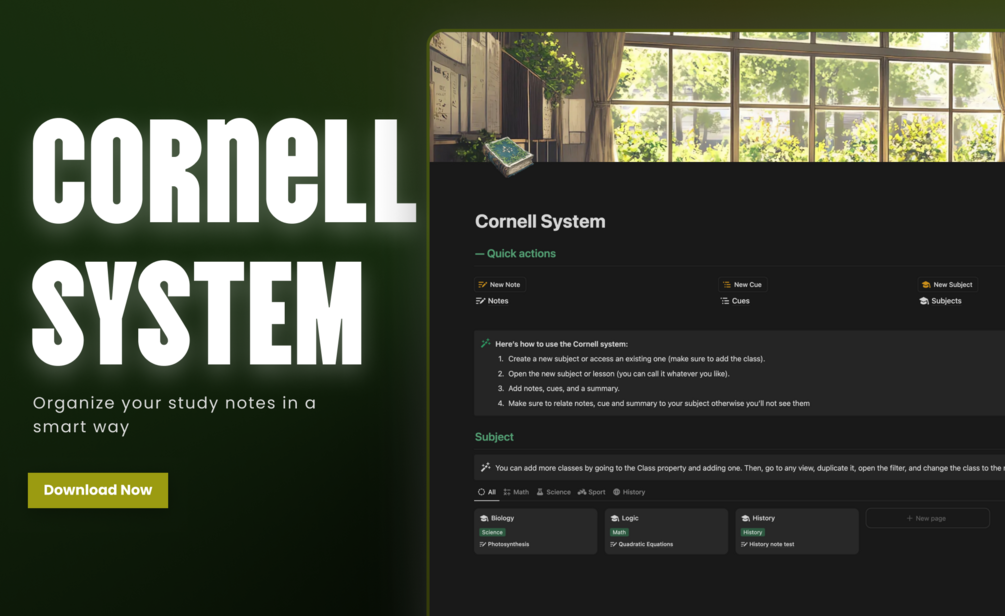
OlsNotion Cornell Method Notion Template Study Planner Notes Organizer
OlsNotion Cornell Method Notion Template Study Planner Notes Organizer
Unlock the power of structured note-taking with the OlsNotion Cornell Method Notion template. Designed to streamline your learning workflow, this intuitive system helps you systematically capture, organize, and review information from lectures, meetings, and intensive study sessions.
Featuring a clean layout built specifically for knowledge retention, this digital workspace eliminates scattered notes and optimizes your study routine. Easily duplicate the template into your workspace to organize study materials, track key takeaways, and improve academic productivity.
Key Features
| Brand | OlsNotion |
| Product Type | Notion Template |
| License | Personal license for individual use only |
| Format | Digital Download |
| Platform Compatibility | Notion |
| Setup Time | Approximately 15 minutes |
Highlights
- Structured Cornell Note-Taking framework for enhanced recall
- Fast setup requiring only about 15 minutes
- Clean and intuitive digital layout built for Notion workspaces
- Designed for students, professionals, and lifelong learners
Compatibility
Compatible with any device supporting Notion, including web browsers, macOS, Windows, iOS, and Android applications.
How to use
Open the provided template link after checkout and click duplicate in the upper right corner to add it directly to your personal Notion workspace. Begin organizing lecture notes, cues, and summaries within the structured Cornell layout.
Frequently asked questions
|
Share