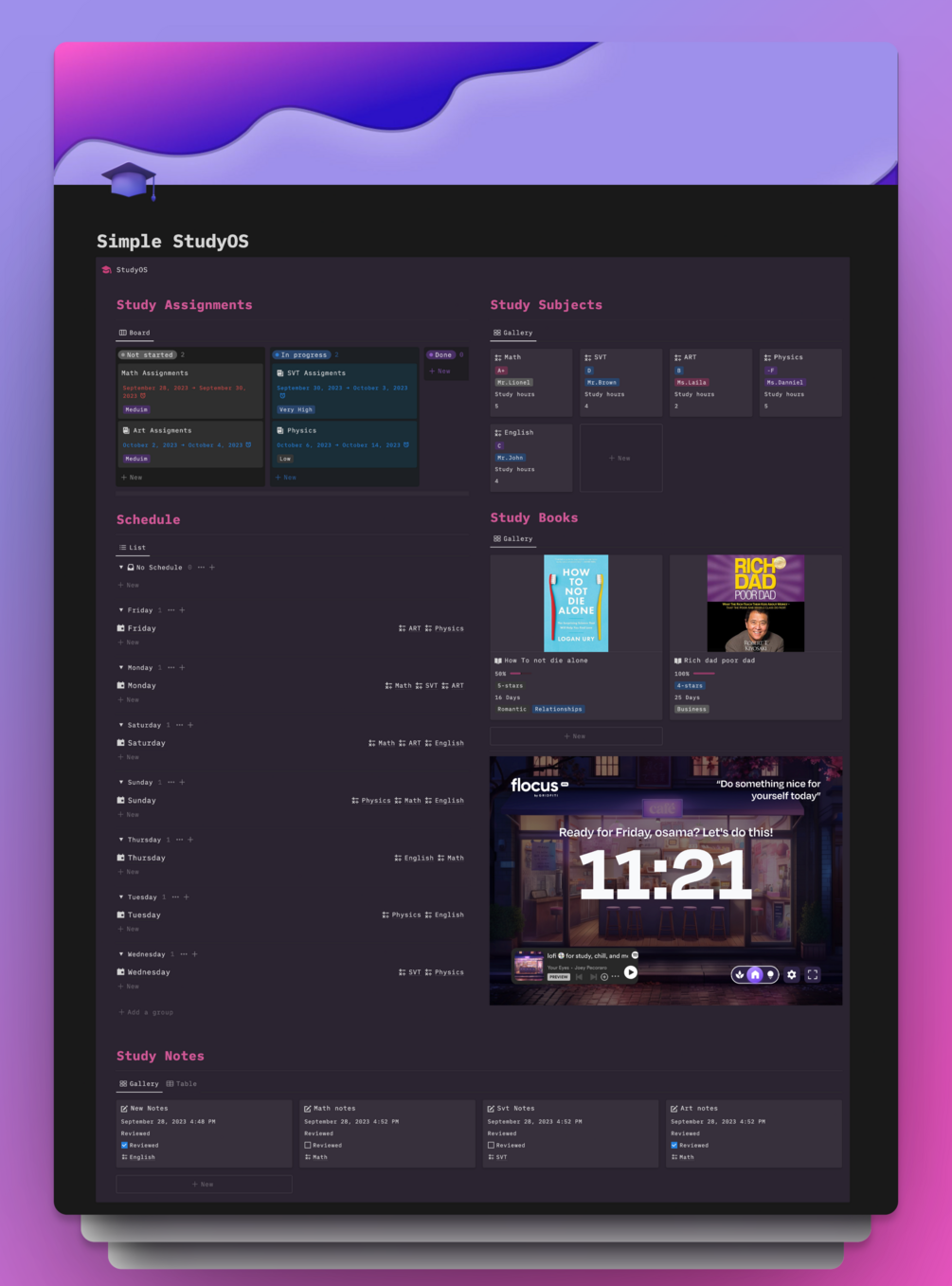
OlsNotion Simple StudyOS Notion Template Student Planner Academic Organizer
OlsNotion Simple StudyOS Notion Template Student Planner Academic Organizer
The OlsNotion Simple StudyOS Notion Template is a comprehensive digital academic workspace designed to streamline your educational workflow. It centralizes schedule planning, subject organization, and assignment tracking into one intuitive interface to help students stay on top of coursework.
Equipped with integrated note-taking tools, an embedded Pomodoro timer, and a dedicated reading tracker, this template provides the essential structure needed for focused study sessions and efficient learning management.
Key Features
| Brand | OlsNotion |
| Product Type | Digital Notion Template |
| Format | Digital Download / Notion Link |
| License | Personal Use Only |
| Platform Compatibility | Notion |
Highlights
- Schedule and calendar planning
- Subject and course organization
- Assignment and deadline tracking
- Integrated note-taking system
- Built-in Pomodoro timer for focused study
- Book and reading tracker
Compatibility
Compatible with Notion on web browsers, desktop apps (macOS and Windows), and mobile apps (iOS and Android).
How to use
Open the provided template link in your browser and click 'Duplicate' in the top-right corner to add the workspace to your personal Notion account.
Frequently asked questions
|
Share